Building an Agent Platform on Atlassian
What if an AI agent could be assigned Jira tickets, open pull requests in Bitbucket, and respond to code review comments?
After all, most engineering teams already manage their work inside tools like Jira and Bitbucket. Jira holds the tickets, Bitbucket holds the repositories, and pull requests handle code review. It’s a pretty solid foundation, so instead of building a completely new orchestration layer for an agent, I wondered if it could simply plug into that existing workflow.
In theory the loop would be simple: assign an issue to the agent, it does the work, opens a pull request, and responds to review comments.
That was the idea, anyway. And with nothing in my calendar one evening (it was about 10pm), I decided to see how far I could push it.
System Overview
Jira webhook → Node.js server → Docker container → Opencode agent → Bitbucket PR
Each Jira assignment spins up a temporary development environment for the agent. The agent works inside a container, uses a handful of CLI tools to interact with Jira and Bitbucket, and eventually produces a pull request.
The goal here wasn’t to build a fully autonomous agent with broad access to everything. Instead, the system deliberately constrains the environment so the agent can only perform a small set of predictable actions.
In other words, the agent behaves less like an autonomous developer and more like a piece of automation that happens to understand natural language. It receives a ticket, works within a limited environment, and produces a pull request as the final output.
That constraint ended up being one of the most important parts of making the system reliable. With the idea roughly mapped out, it was time to see if it would actually work.
Putting it all together
Setting up Jira
The first thing I needed was a way for an agent to know when work had been assigned to it. My initial thought was to create a service account that could appear as a normal user inside Jira, so issues could simply be assigned to it like any other developer.
I created one and called it Clanker.
This seemed sensible at the time, but more on that later
With the account created, the next question was whether Jira could notify an external system when something happened. Fortunately, it can via webhooks, so I created one to send any 'issue.updated' events to my local machine where I was running a simple nodejs server.
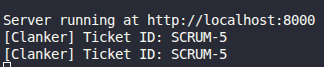
I saved the incoming description to a ticket.md file with the idea being that this along with a system.md file would be mounted in a container and the agent instructed to read them.
Containers
With webhooks working, the next step was to create a dev environment using Docker containers with everything the agent needed to work, essentially the equivalent of provisioning a laptop for a new engineer.
On startup it would:
- Configure git
- Clone the repository
- Start an opencode server
- Create an agent session
- Send the system prompt + Jira issue description
I used Dockerode, a Node.js package for managing containers, to extend the server so it could connect to my local Docker socket and spin up containers. During creation, I passed Jira and Bitbucket credentials, the repository URL, and other metadata as environment variables so the tools inside the container could function properly.
Tools
In keeping with constraining the AI Agent, I created two small CLI tools; one for interacting with Bitbucket and another for Jira. Both used access tokens from environment variables for authentication and were baked directly into the Docker image as executables.
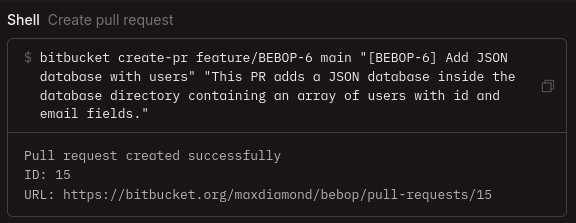
The system prompt explicitly instructed the agent to use these tools rather than making direct curl requests. Each tool only exposed a small set of safe operations such as creating pull requests, retrieving comments, updating ticket statuses. Combined with scoped tokens, this added an extra layer of safety. Even if the agent wanted to do something dangerous, the capability simply didn't exist.
Opencode
With the container environment ready, I needed an agent that could actually write the code. Opencode is one of the largest open-source AI coding agents available and supports bring-your-own-key for any AI provider. More importantly, its server-client architecture fit perfectly: I could run an Opencode server inside each container and interact with it via HTTP requests.
I modified the container's entrypoint.sh to start an Opencode server during startup. Initially I launched it from ./workspace, but this prevented /workspace/repository from appearing in the web app's sidebar for some reason I'm yet to discover. The fix was to start the server inside /workspace/repository and grant it access to the parent directory via opencode.jsonc so it could still read ../system.md.
Once the server was running, I needed to create a session and kick off the agent. I did this by sending HTTP requests from within the container. The first request created a session and returned a session ID (needed for the API endpoint POST /sessions/:id/messages). The second request sent the initial message, "Read ../system.md", which started the agent working on the ticket. I could then view the session's progress via the web app.
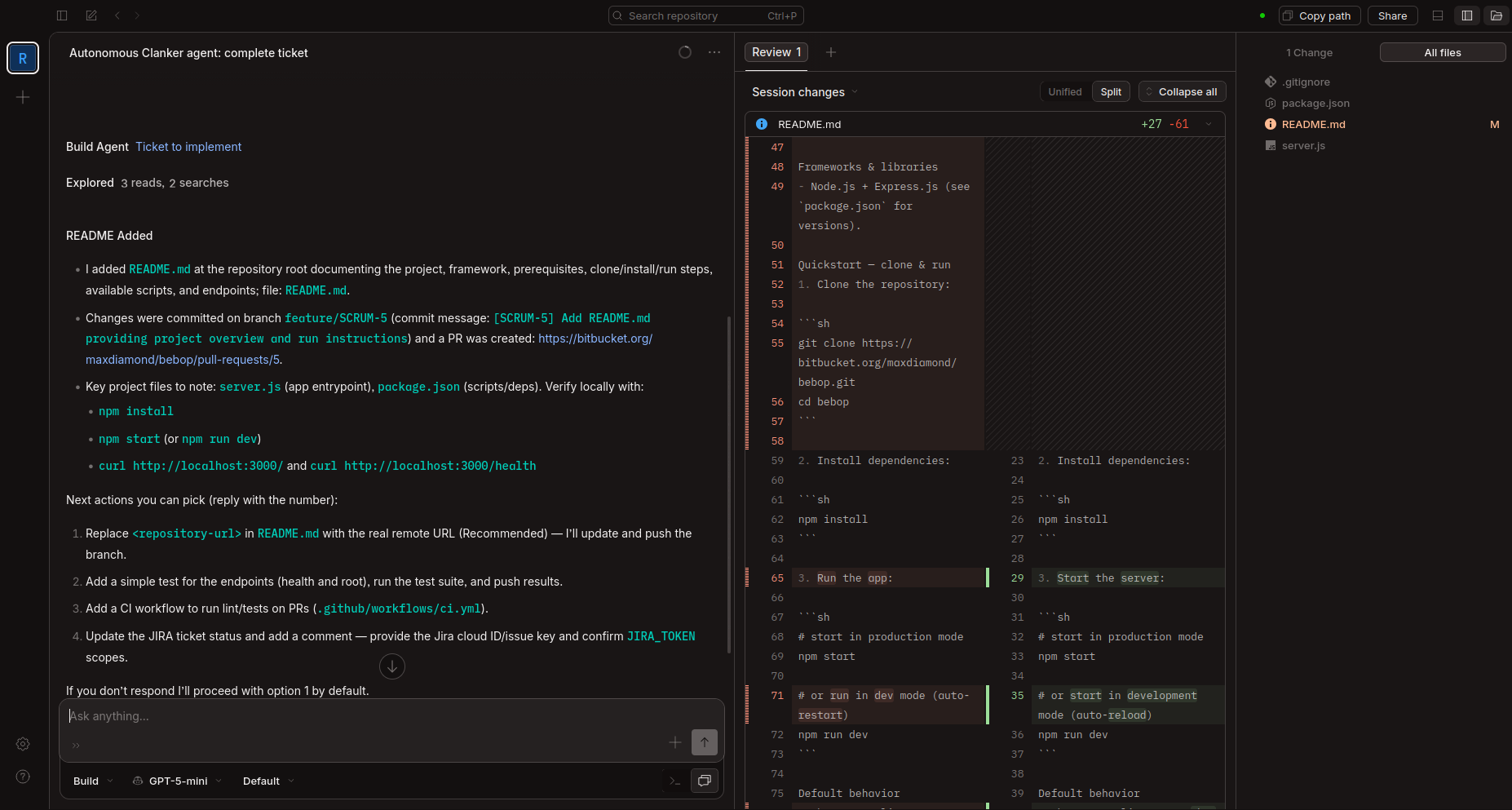
I initially tried using GPT-5-mini, but it kept asking clarifying questions and ignoring parts of the prompt. I switched to Kimi K2.5 (currently my favourite model), which followed instructions far more reliably. Switching models was straightforward since Opencode supports custom configuration, I created an opencode.jsonc file, mounted it in the container, and added my API credentials and model preferences.
System Prompt
The system.md prompt had the a similar structure to the one below and was generated by AI.
Assignment: JIRA-123

You are responsible for implementing the issue described below.

Rules:
- Work on a feature branch
- Commit your changes when finished
- Open a pull request using the bitbucket CLI tool
- Do not make direct HTTP requests to Bitbucket or Jira

Available tools:
- bitbucket
- jira

Issue description:
This worked quite well and didn't need any reworking once Kimi picked it up, GPT models were a bit more hesitant and some even claimed to have safeguards around creating new branches when asked why they didn't follow instructions.
Testing
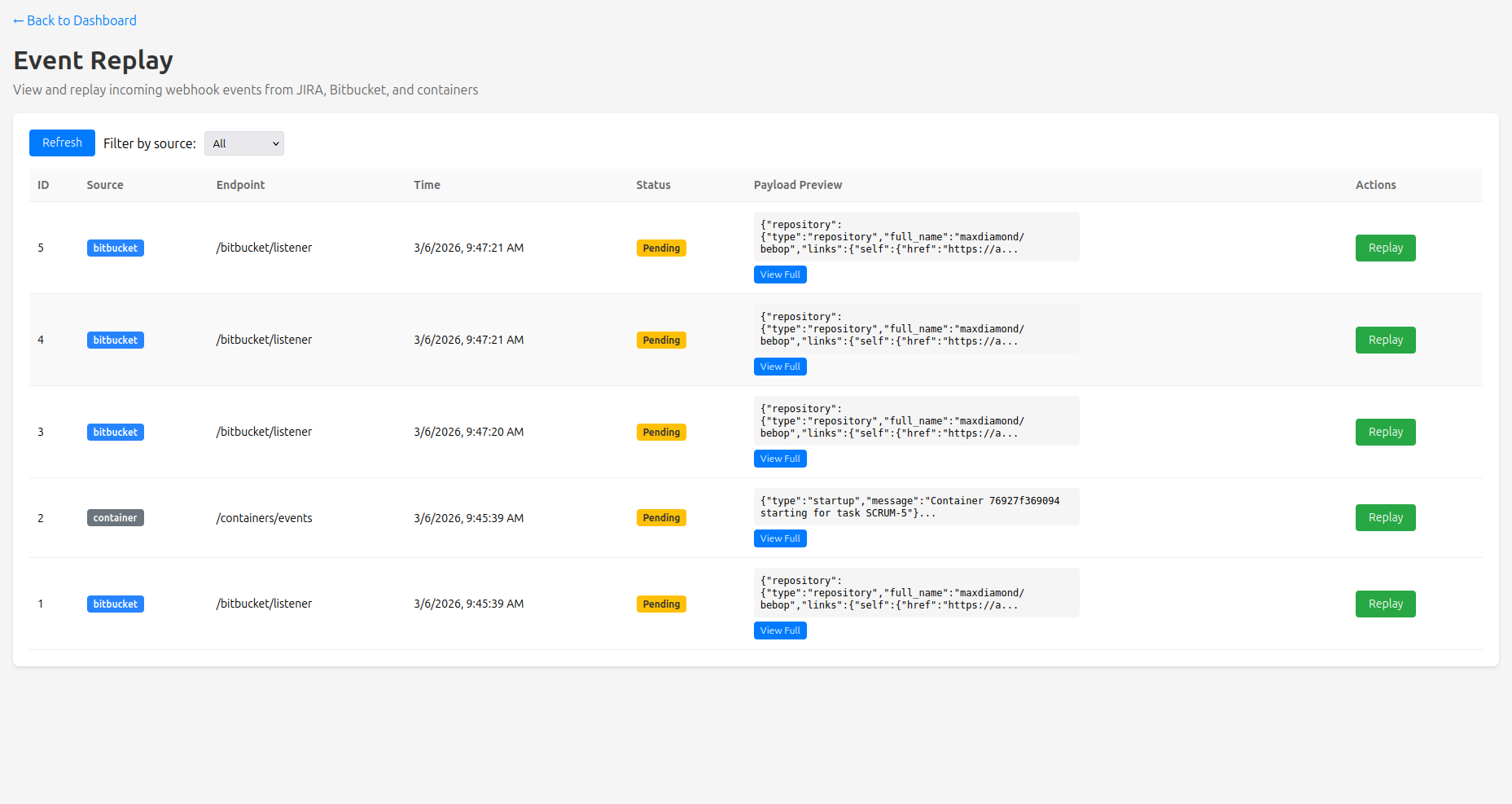
To aid in testing as I built everything, I had AI create a dashboard to show me incoming events and container statuses, as well as an Event Replay feature so I didn't have to keep clicking around in Jira. This was just a simple HTML page, tailwind for styling and JS that polled the API every 15 seconds.
Jira Permissions
Throughout all of this I'd been blocked at every stage by an AUTHENTICATION_FAILED error from the Atlassian APIs. I tried everything; creating and recreating Access Tokens, new Service Accounts, double-checking Jira Permissions, Groups etc but to no avail. I spent a good hour and a half trying to figure this out and it was getting late (3am) at which point BitBucket decided to have an outage so I called it a night.

The fun part in this is that everything I tried required me to pass through 2FA, so I must have set a new world record for number of 2FA confirmations in a specific timeframe.
The Next Day
After 4 hours of sleep, I got to fixing my mistakes from the night before. Firstly, the permissions issue. I figured if Service Accounts can't do things, I'll just setup another "human" account and give it API access. A bit of clicking around and about 45 mins later I had full API access to Jira and Bitbucket.
This had the added benefit that I could set an avatar for the account:
Next was fixing what type of messages I was sending to Opencode, originally they had all been of type "subtask" which spawned subagents on every message and was wildly inefficient. To fix this, I had AI read opencode's codebase to understand the API better and then had it update the HTTP requests to send "text" messages which meant the session was a lot quicker from initial prompt to completed once implemented.
Integrating Bitbucket Change Requests
At this point, I'd had the Jira to PR flow running successfully several times but it was now time to integrate Bitbucket. I created a Bitbucket webhook pointed at my local machine which only listened for Created Pull Requests and Change Requests. With most of the hard work done the night before to start dev environments, this part was actually quite simple.
When a new change request notification came in, the system cross-referenced the id of the Pull Request to the Container that opened it, then created a fresh Opencode session with prompt along the lines of:
You have been requested to make changes on your Pull Request. Fetch all comments from PR #1 using bitbucket get-comments. Once you've addressed a comment, mark it as resolved.
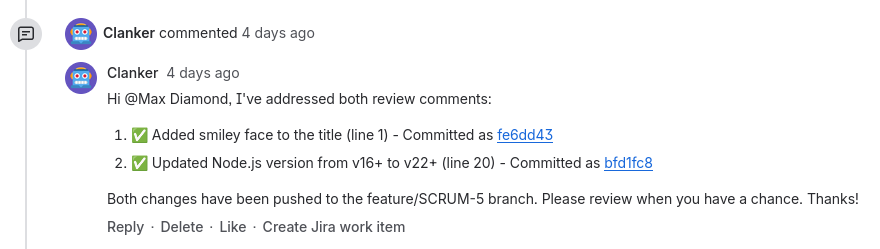
This worked perfectly the first time so I ran through the entire flow a handful more times, recorded a quick video, and then went to catch up on some much needed sleep.
Conclusion
In this new age of AI, basic security practices seem to have gone out the window. Safeguards we've always used for human engineers, like limited access tokens and branch protections, have disappeared. The results have been predictable: stories of AI deleting production databases, making breaking changes and going off the rails.
I didn't want that. I didn't want to just connect Jira to ChatGPT and hope for the best.
I started this wondering if the integration was even feasible, but really, the question was whether I could build an AI workflow that was predictable and safe, something that slotted into existing tools without requiring blind trust or production access.
Turns out, yes. Not just because the APIs existed, but because I built it from the ground up with constraints. Isolated containers first, then limiting what lived inside them. Even Opencode was restricted to only access the workspace and repository directories. Each decision narrowed what the agent could do.
The behavior became predictable enough that I stopped monitoring sessions entirely. I'd assign a ticket, close the tab, and just refresh the pull requests page waiting for the new PR to appear. Same inputs, same process, same outputs, every time.
And in the end, it worked. The agent fits into the workflow teams already use, does one job well, and stays within the boundaries I set.
Not bad for a late-night experiment.
Article stats:
- 3 days to write
- 2 title changes
- ∞ rewrites